
myPass

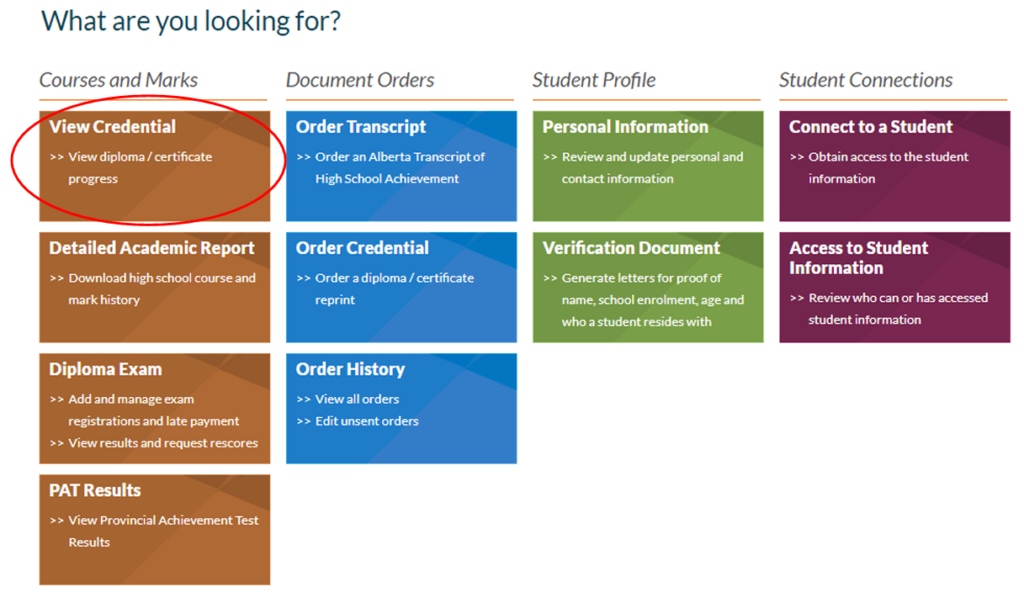
myPass is an Education and Childcare self-service website for students (and parents/guardians) to:
- View progress towards a credential (diploma or certificate)
- View diploma exam marks
- View PAT exam marks
- View and print Detailed Academic Reports (DAR)
- Order high school transcripts
- Register to write or rewrite diploma exams with online payment
- Order additional copies of an awarded credential in English or French
- Receive notifications for important messages
Students, parents or guardians can sign up at the school or online with myPass. We encourage all Pembina Hills students to sign up in Grade 10.
If you are currently enrolled in school and require assistance with your myPass account, please reach out directly to Mrs. Kulmatyski in the office. She is best equipped to support you with login issues and account setup.
To access myPass you need to have:
- An Alberta Student Number (ASN) (found on PowerSchool)
- A personal email address
- Date of Birth
Student sign up for myPass:
- Go to myPass.alberta.ca
- Set up an Education Account (“I’m new, sign me up”) using your email address (or other account)
- A confirmation email & link will be sent.
- Click the link & follow the instructions
- Enter your Alberta Student Number and date of birth
- You will receive an email from Alberta Education with further instructions
- Finish” Record your username and password in a safe place
myPass Parent Access
Third parties (including parents and legal guardians) may be granted access to a student’s myPass account online.
To access your student’s myPass account:
- Go to myPass.alberta.ca
- Set up an Education Account (“I’m new, sign me up”) using your email address (or other account)
- A confirmation email & link will be sent.
- Click the link & follow the instructions
- Enter the student’s Alberta Student Number and the student’s date of birth
- You will receive an email from Alberta Education with further instructions